Temper

Verifies that your app works.

Temper goes through your app like a person, click by click in a real browser. When the interface changes, the test adapts on its own. At the end, you know whether the app works.

Quenching

You see the result of every run.

Describe a test in a single sentence, or click through it once. Every run ends with a clear verdict.

The list of runs in Temper: for each run, the project, the test scenario, the number of steps, and the result.

What the test saw, you see too.

  • People approve visual changes.

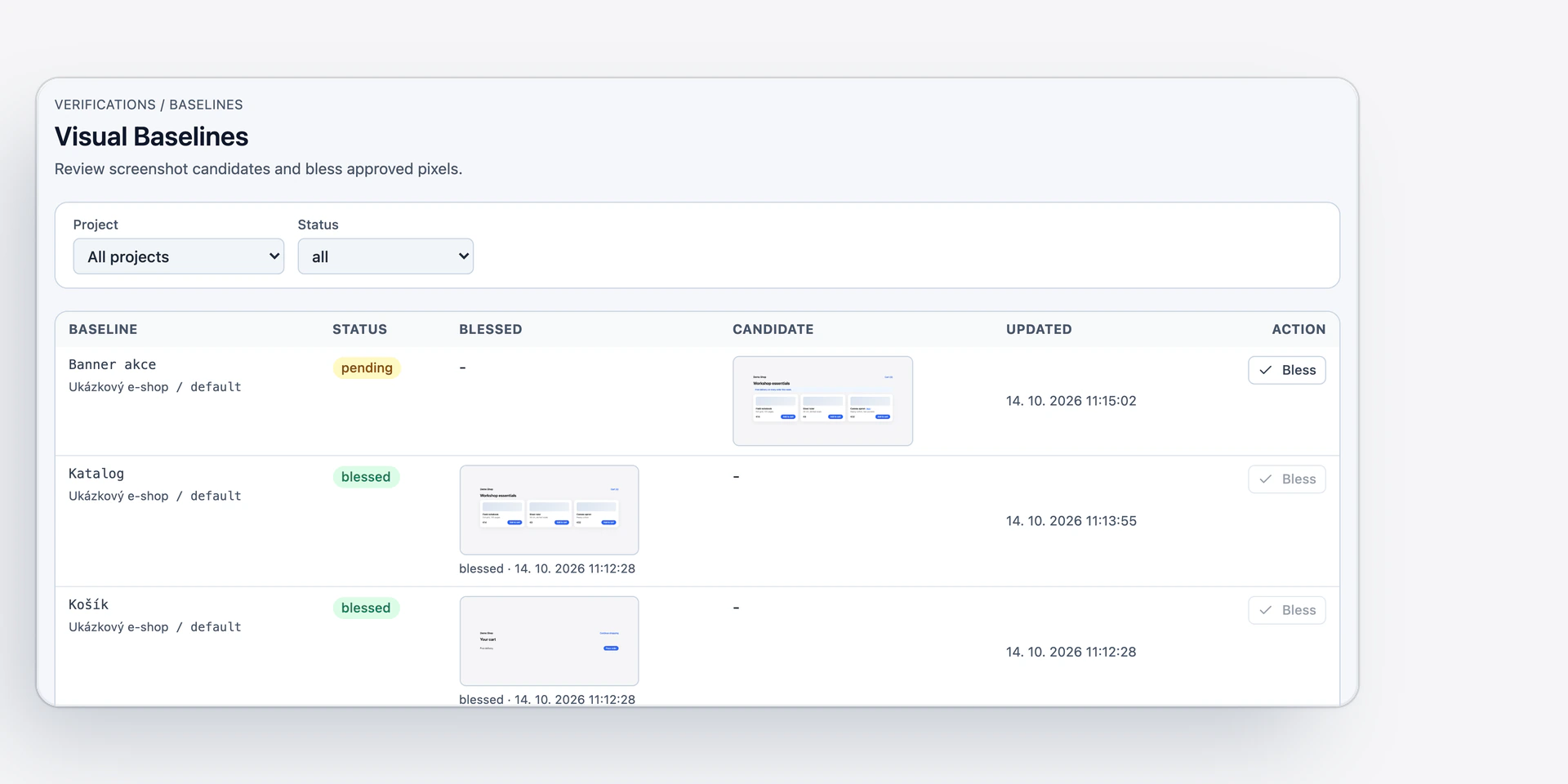
    Visual snapshots in Temper: a new one waits for approval, and a person has already approved two older ones.
  • A screenshot per step.

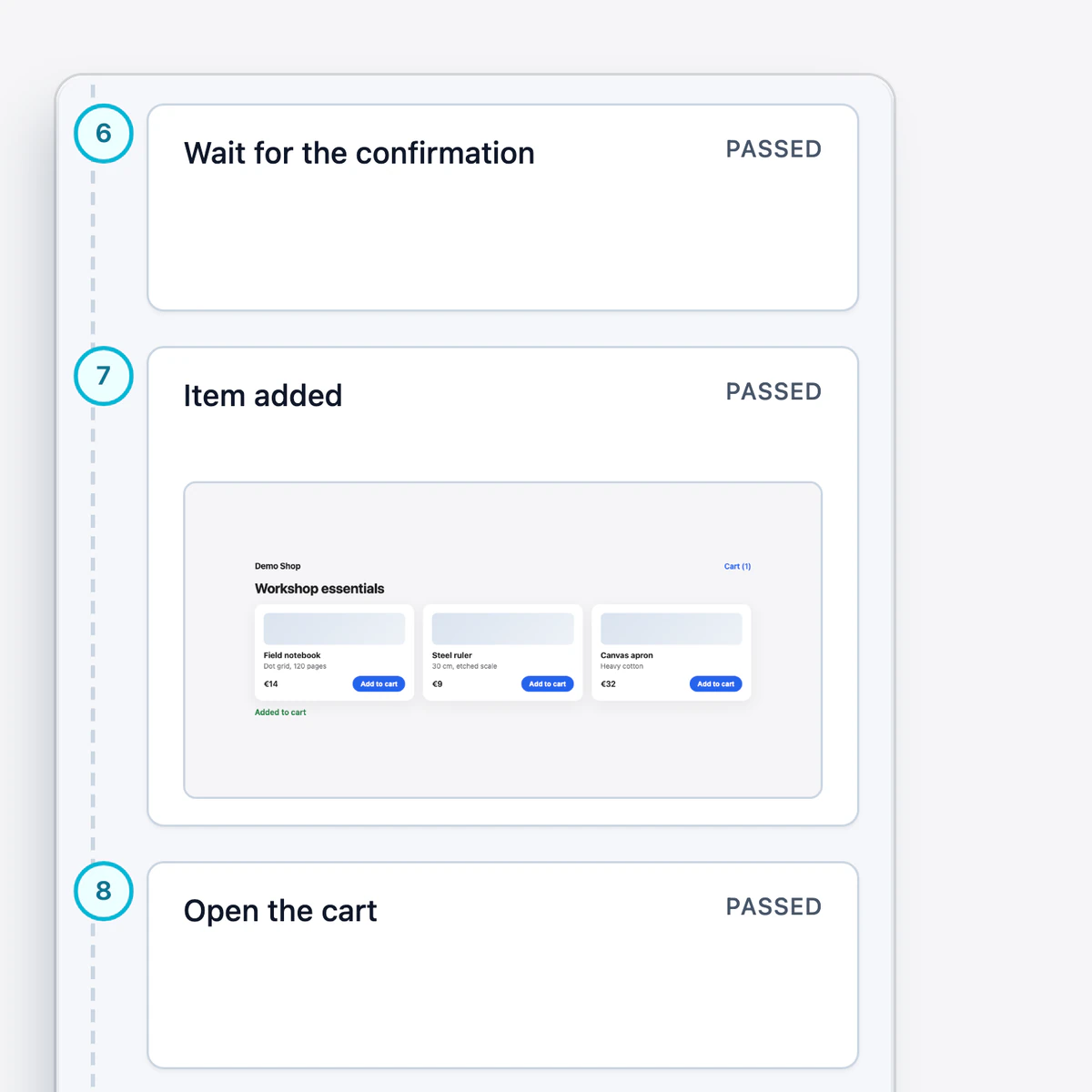
    The steps of a test scenario in Temper, each with its result, and a screenshot of the demo store at the checkpoint step.

From recording to verdict.

  1. Describe it or click through it.

    Write a test as a sentence, or record it once in the browser.
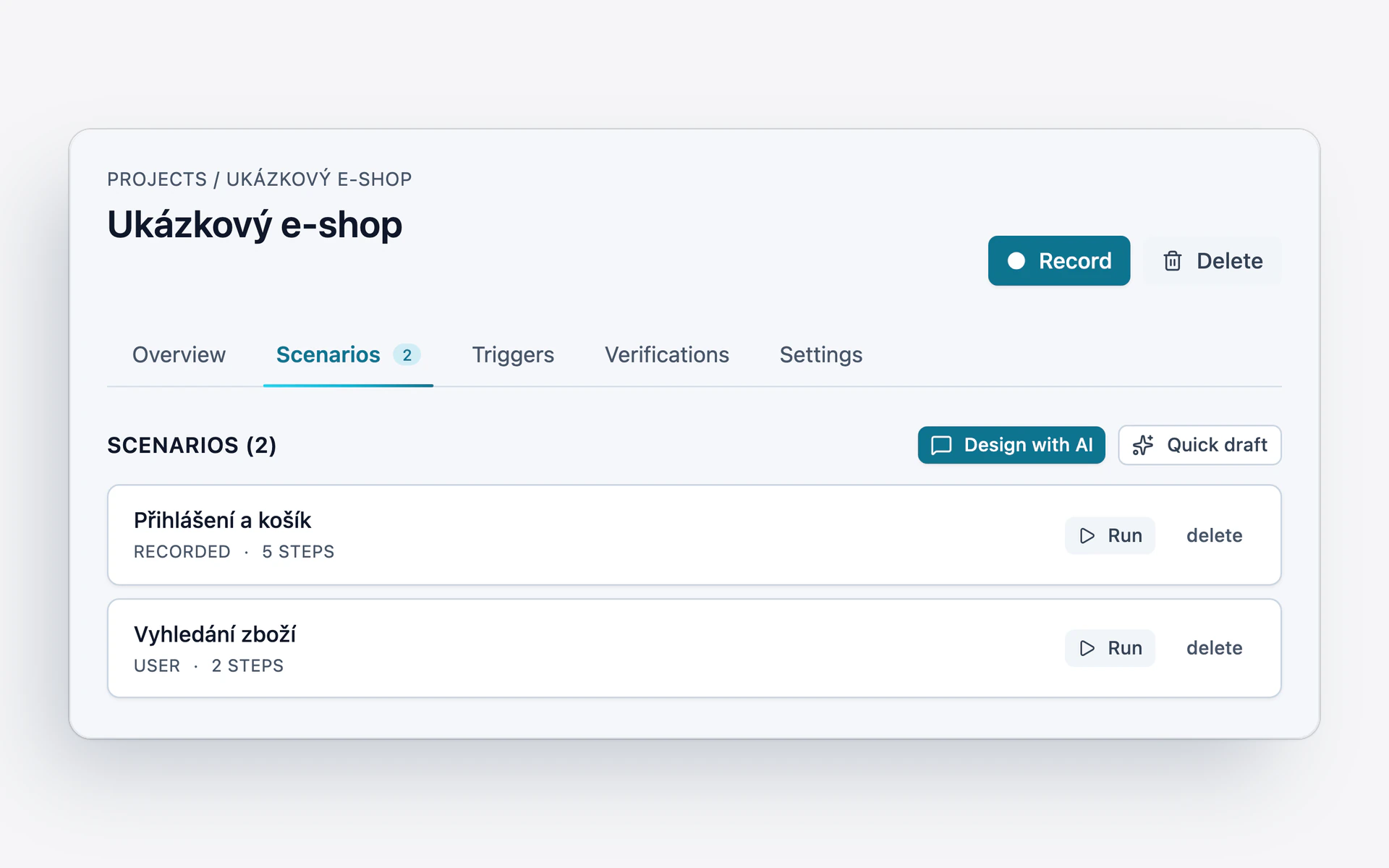
    A project in Temper: a test is recorded with the Record button, or described with Design with AI or Quick draft. Below that, two scenarios with their number of steps.
  2. A repeatable scenario.

    The recording becomes a scenario with exact steps. Passwords are never saved in it.
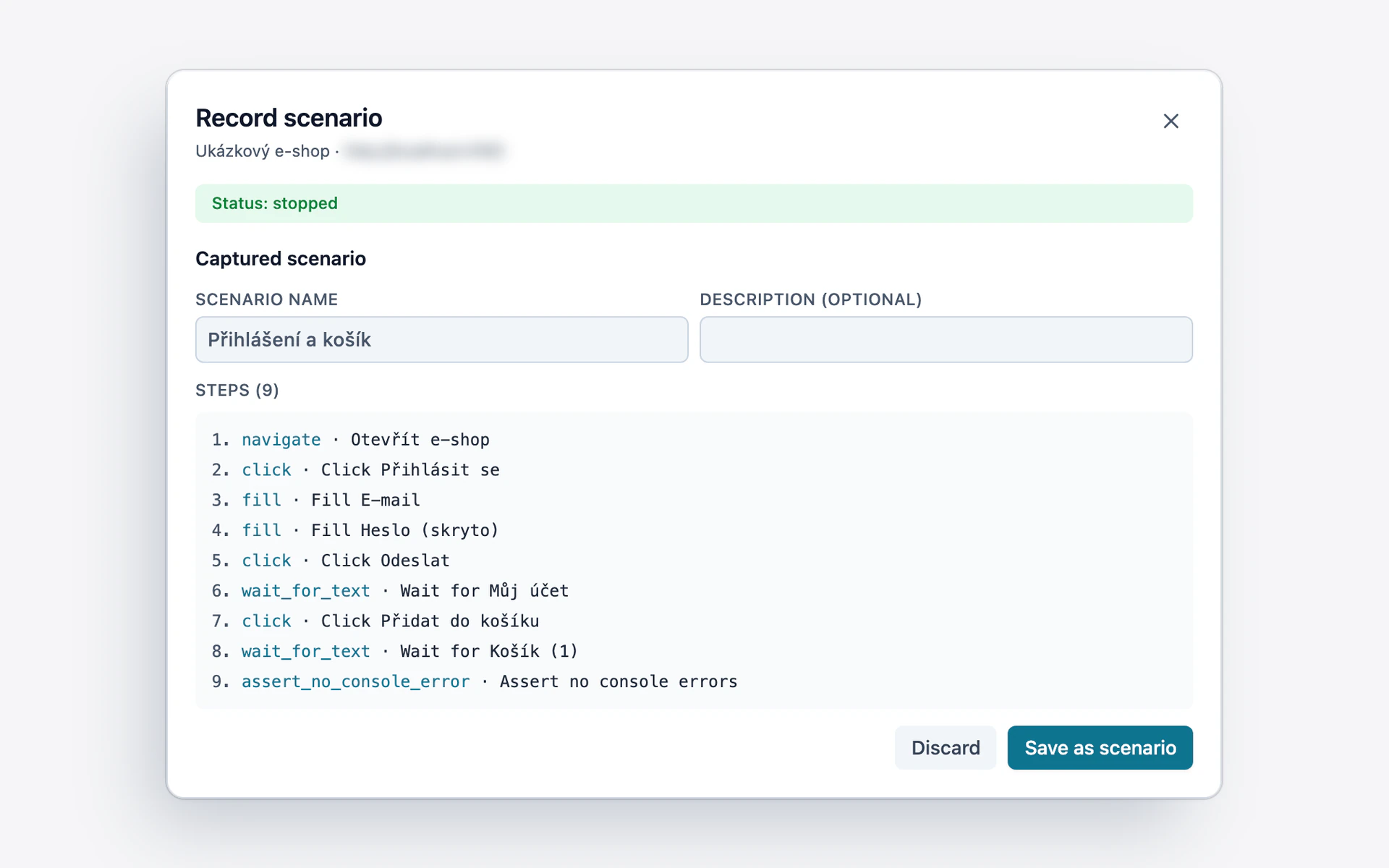
    Reviewing a recorded test in Temper: nine scenario steps from the recording, the password stays hidden, and a button to save the scenario.
  3. A screenshot per step.

    The run ends with a clear verdict.
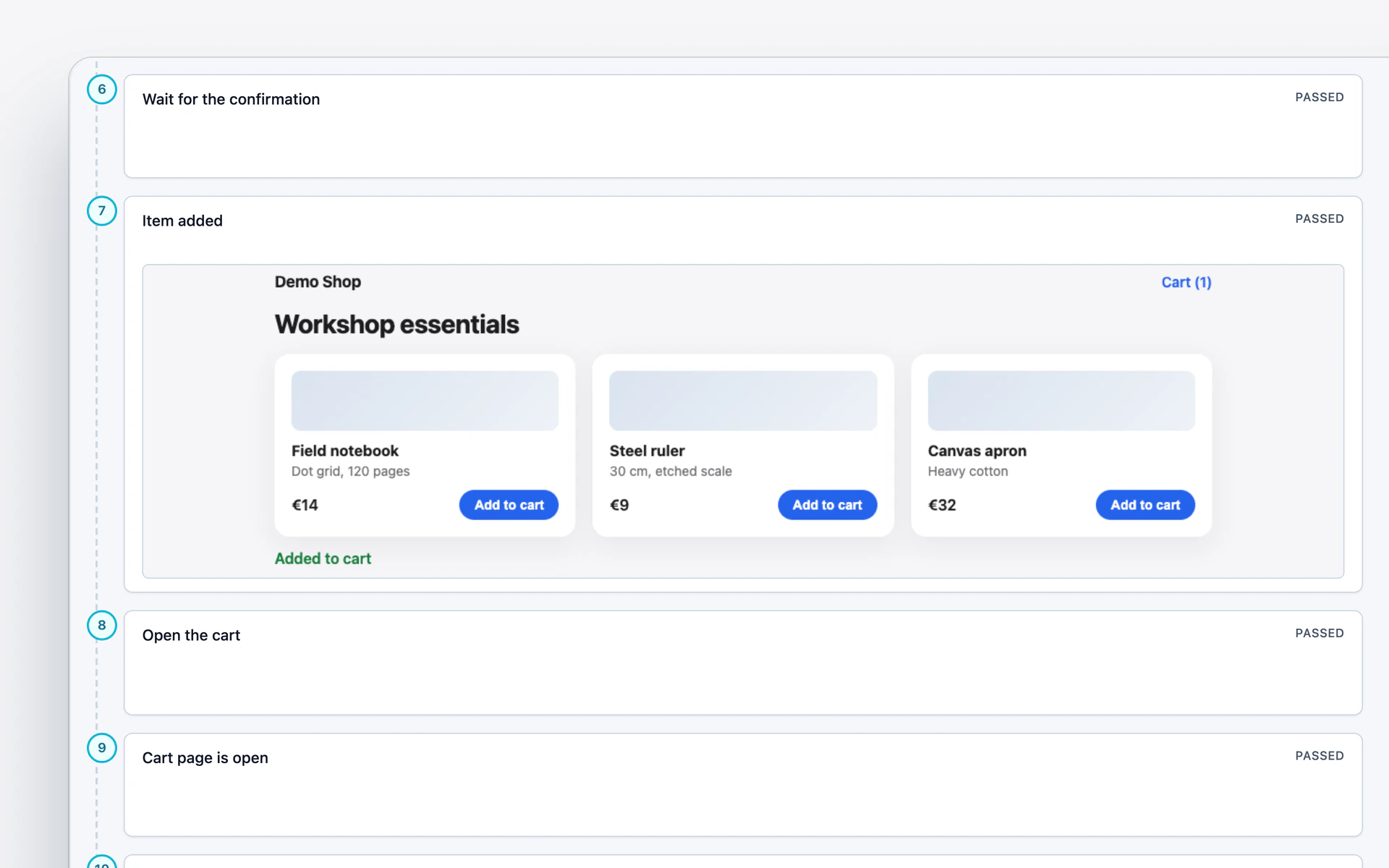
    The steps of a run in Temper: each with the result PASSED, and a screenshot of the demo store at the checkpoint step.
  4. Self-healing.

    When a page changes, Temper finds the missing step and fixes the scenario.
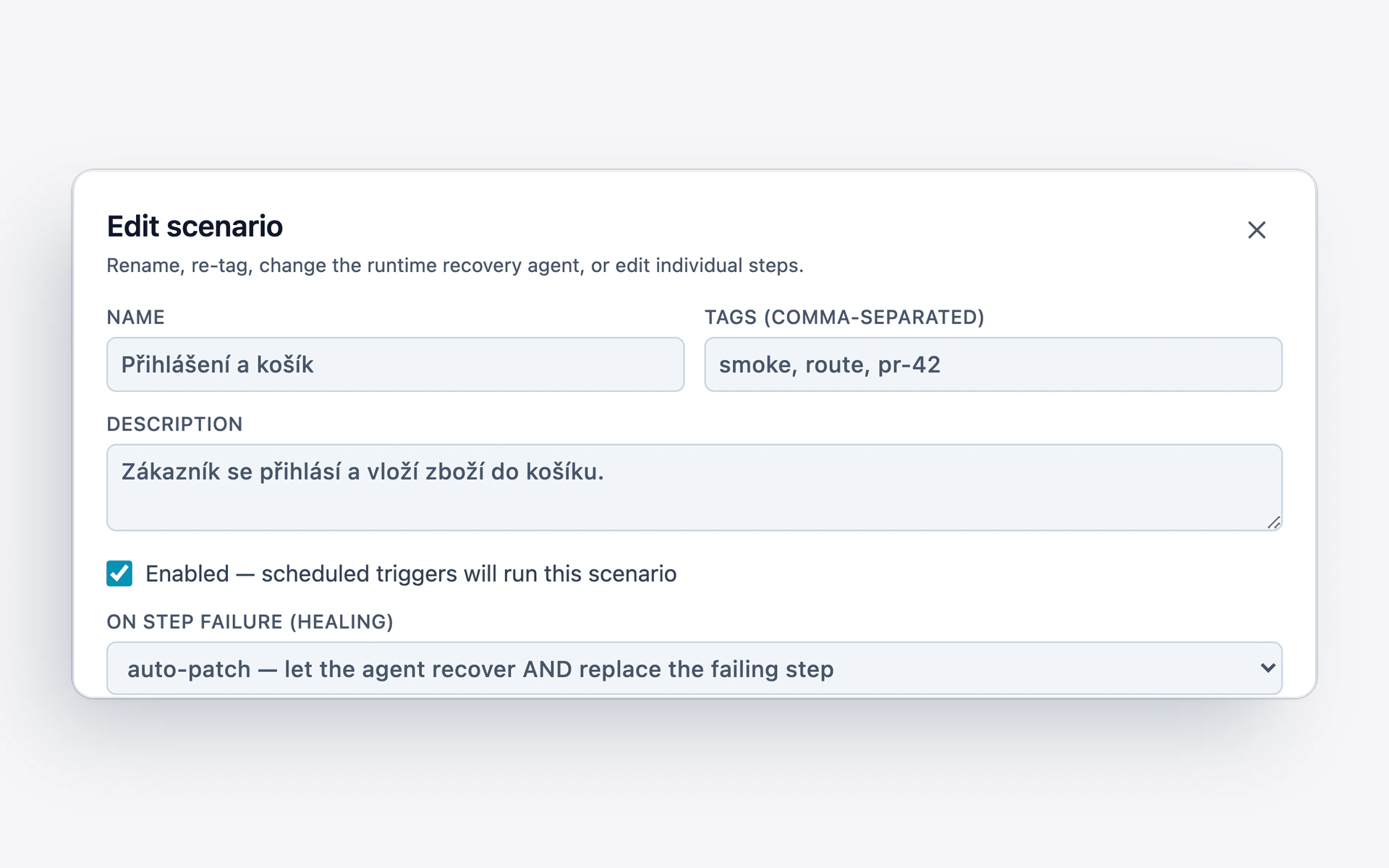
    Scenario settings in Temper: when a step fails, an agent finds it and replaces the broken step in the scenario (auto-patch).
  5. A person approves visual snapshots.

    A new page look takes effect only once someone confirms it.
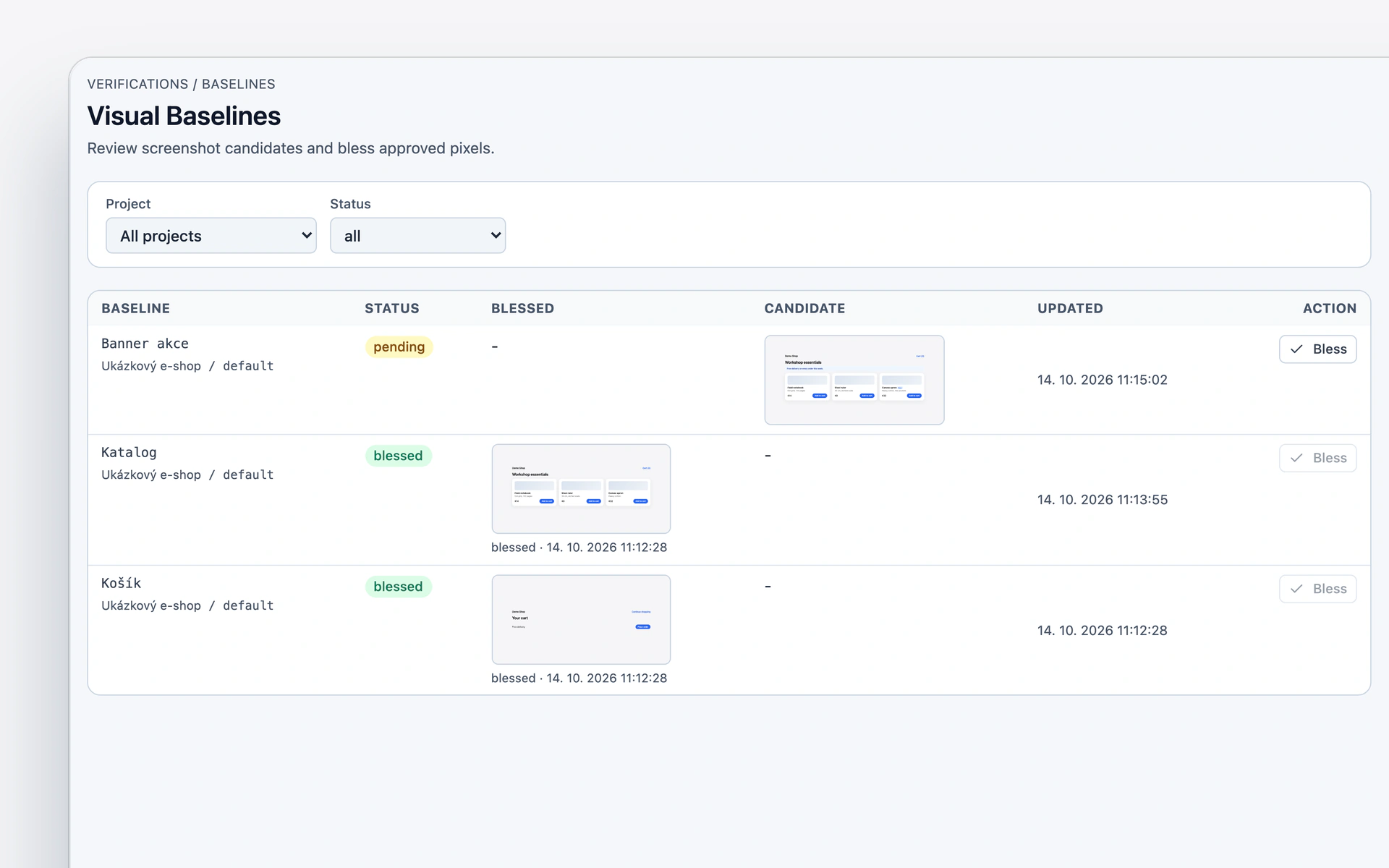
    Visual snapshots in Temper: a new snapshot of the banner waits for approval, and a person has already approved the catalog and the cart.
  6. Results where you work.

    As a comment on a proposed change, or as a new request.

What you can count on.

  • It runs manually, on a schedule, and after code changes.

  • It also checks accessibility and page layout.

  • Credentials don’t belong in a scenario.

Verify your app with Temper.