Anvil

Questions first. Then code.

Anvil at work.

Three machined steel blocks stand on the anvil, each tilted a little. Light shows under the top one: what the spec still leaves open. On a tablet, Anvil asks about the spec, and each answer a person picks seats one block. When the verdict says the spec is complete, the last light goes out. Seen from above, the three blocks form the Anvil mark.

Anvil reads the spec and compares it with the actual code of the project. Where something is missing or the spec contradicts itself, it asks a question and offers an answer. It changes the spec only with your consent.

Anvil

A question for every unclear point.

Anvil offers answers to its questions and recommends one of them. You pick one or answer in your own words, and Anvil checks the revised spec again.

A question from Anvil about the spec for an invoice export: the recommended answer, CSV for the accountant, is selected, and the other options are XLSX or your own answer.

What Anvil does with the spec.

  • Every spec on one board.

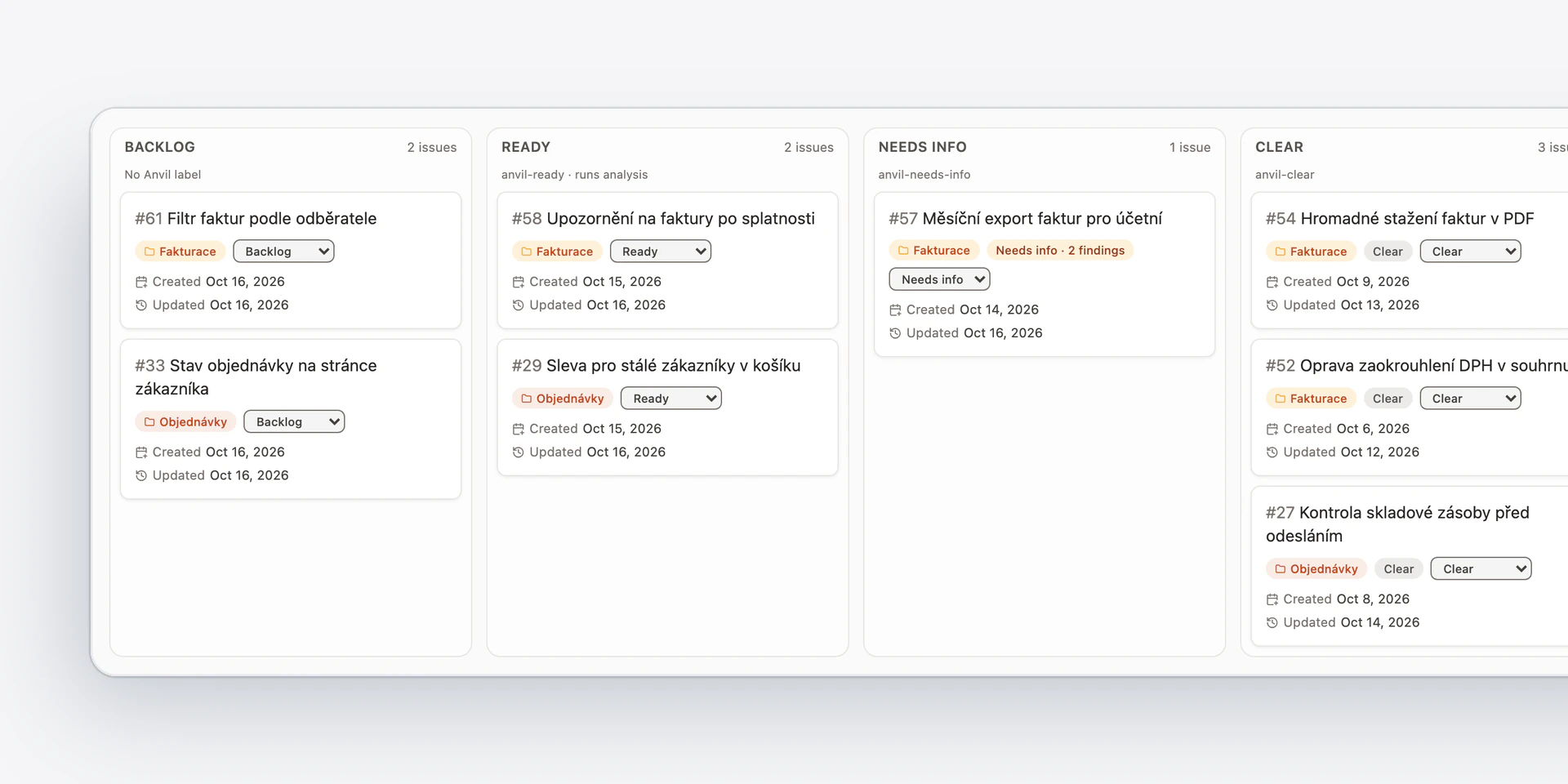
    The spec board in Anvil: requests from the Invoicing and Orders projects, sorted into columns by status.
  • A new spec starts in a chat.

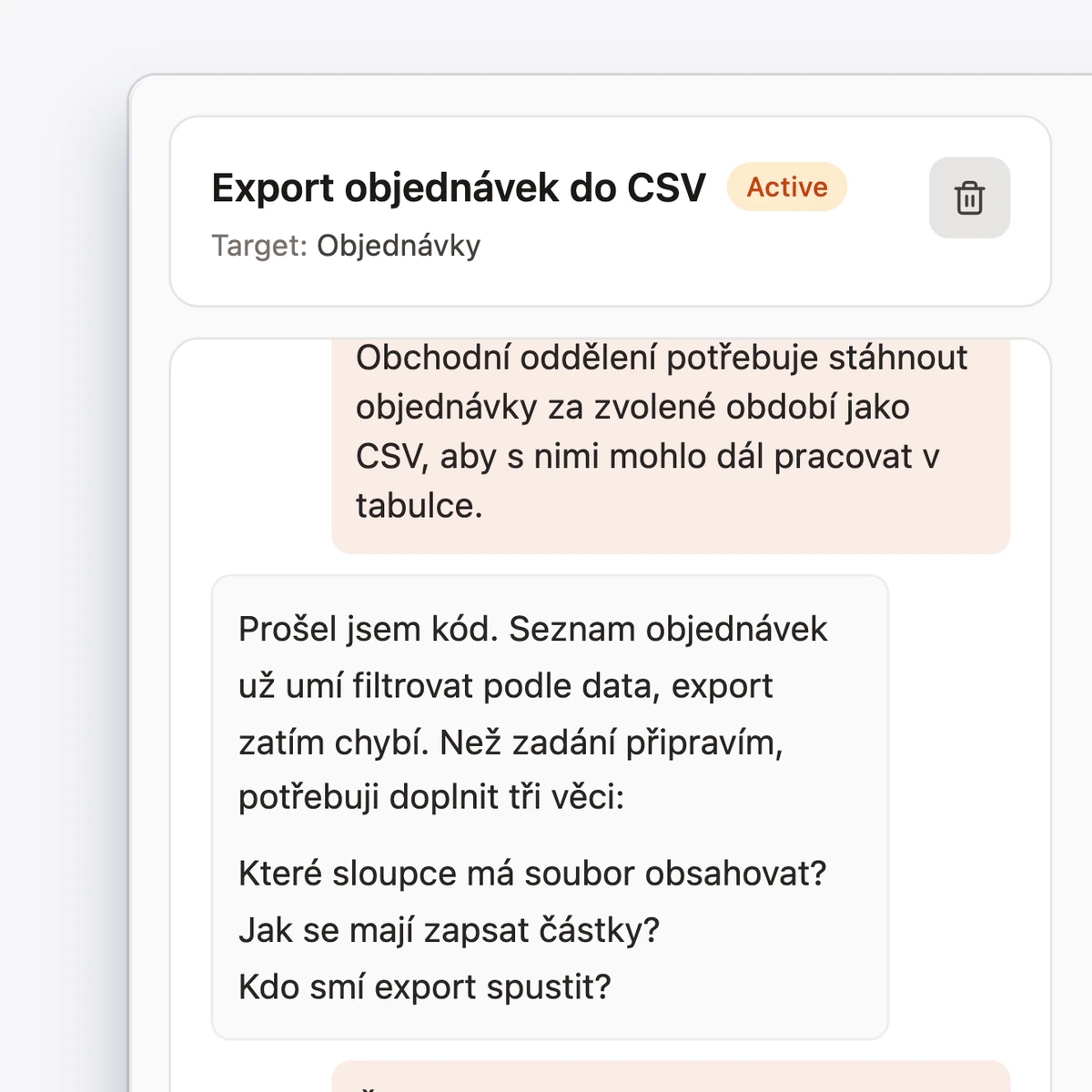
    A chat in Anvil about a new spec to export orders to CSV: the sales team describes what it needs, and Anvil answers after checking the code.

From request to clear spec.

  1. The request.

    A spec comes from the repository, or you write it with Anvil in a chat.
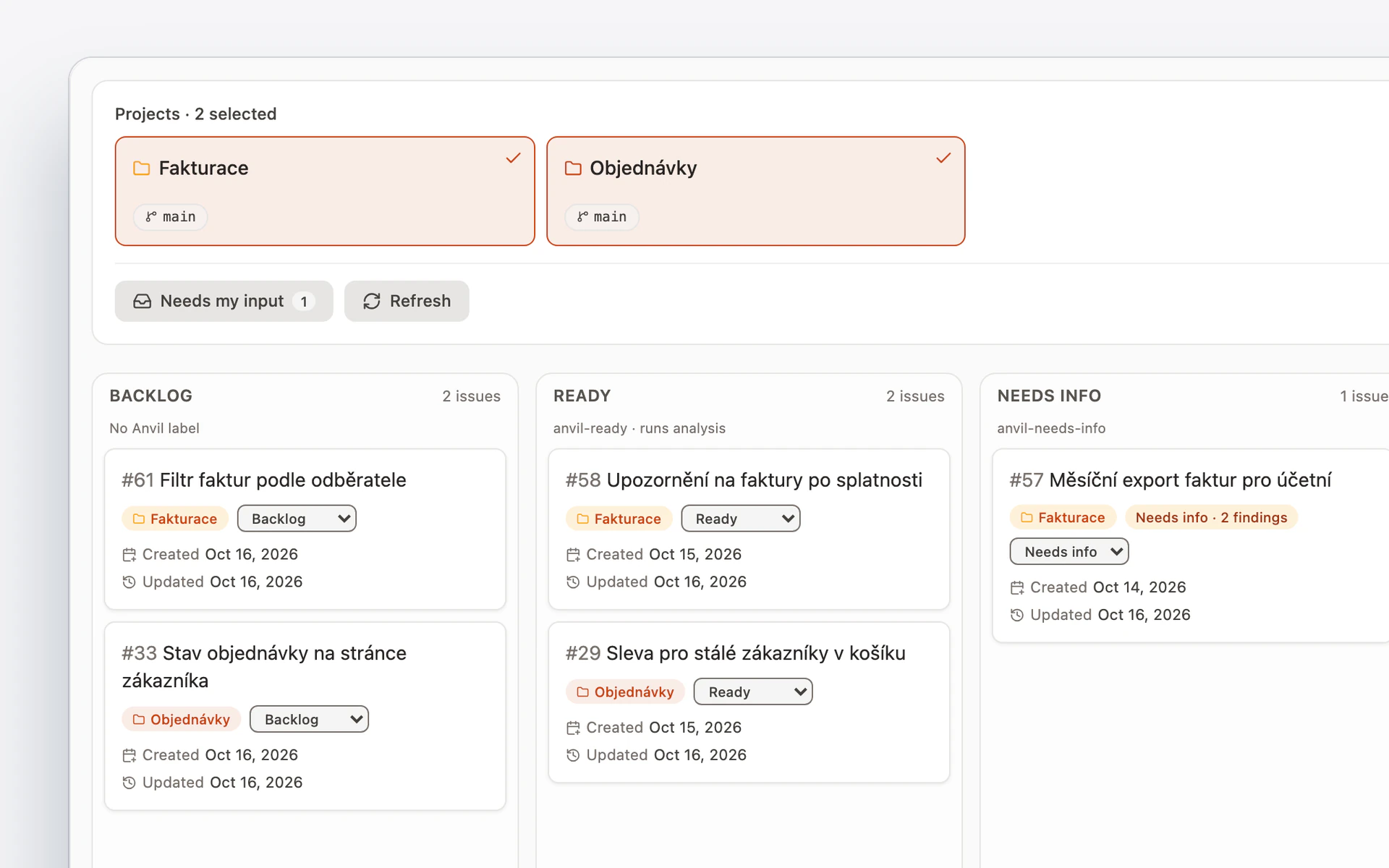
    The spec board in Anvil: the Invoicing and Orders projects and their requests in the Backlog, Ready, and Needs info columns.
  2. Analysis against the code.

    Anvil compares the spec with the actual code, reading the code without changing it.
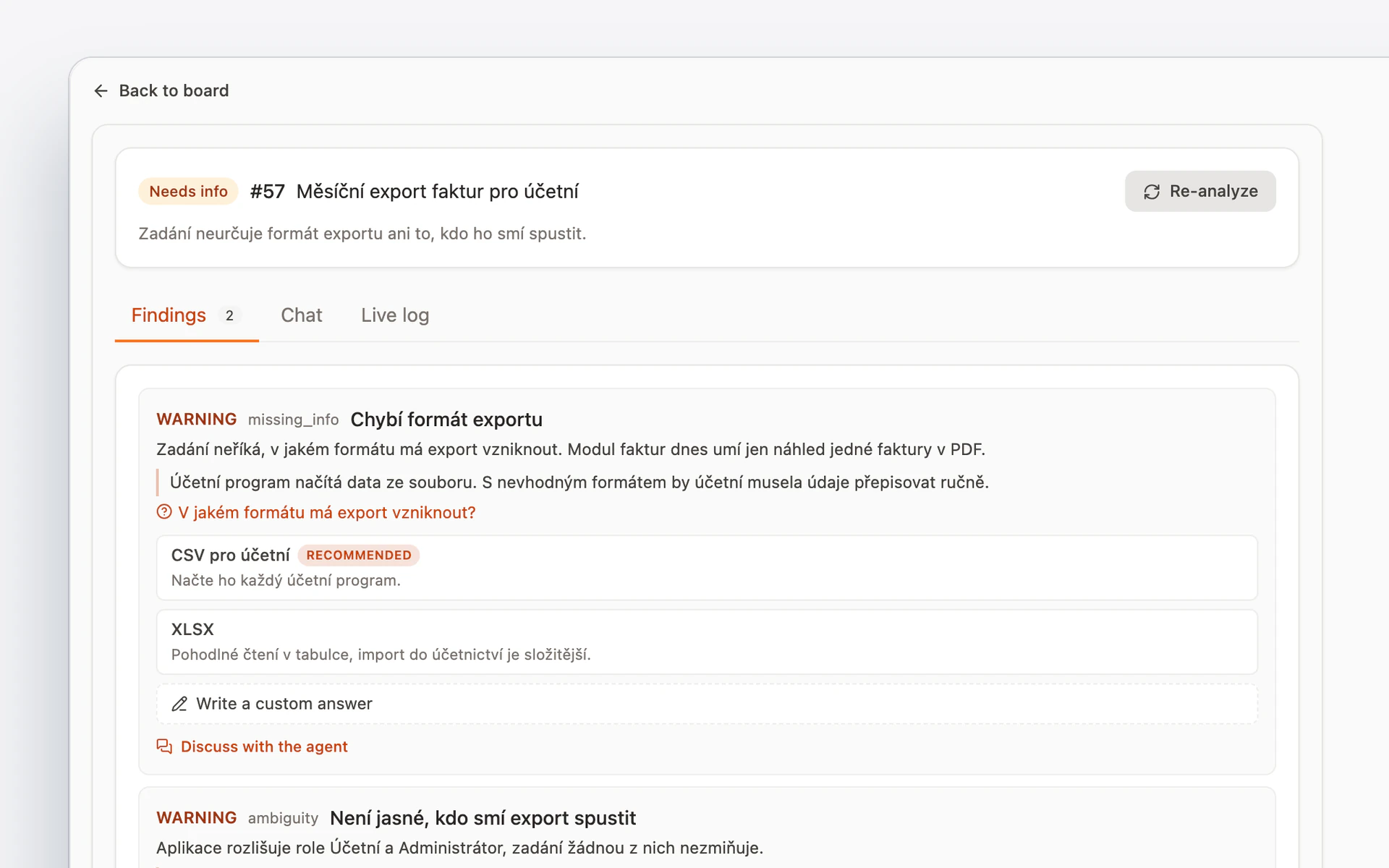
    The analysis of spec #57 in Anvil: the verdict Needs info, a summary, and the first finding, a missing export format with a question and suggested answers.
  3. Questions with a recommendation.

    You pick the recommended answer or another one, write your own, or talk the unclear point through with Anvil.
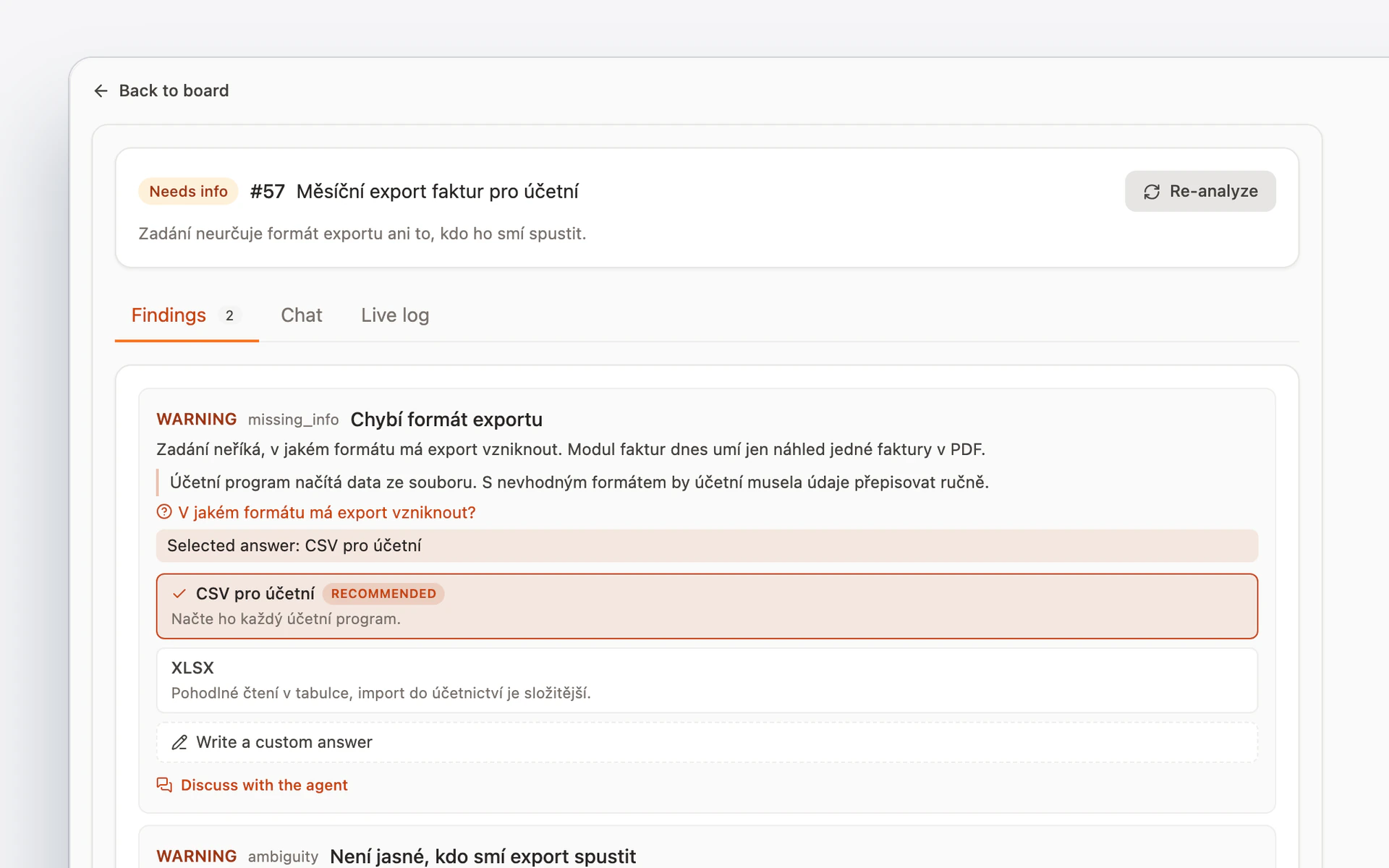
    Answers to the questions from Anvil: for the export format, the recommended answer, CSV for the accountant, is selected, and next to it the XLSX option and your own answer.
  4. Changes with your consent.

    You see the new wording first, and Anvil writes it only after you confirm.
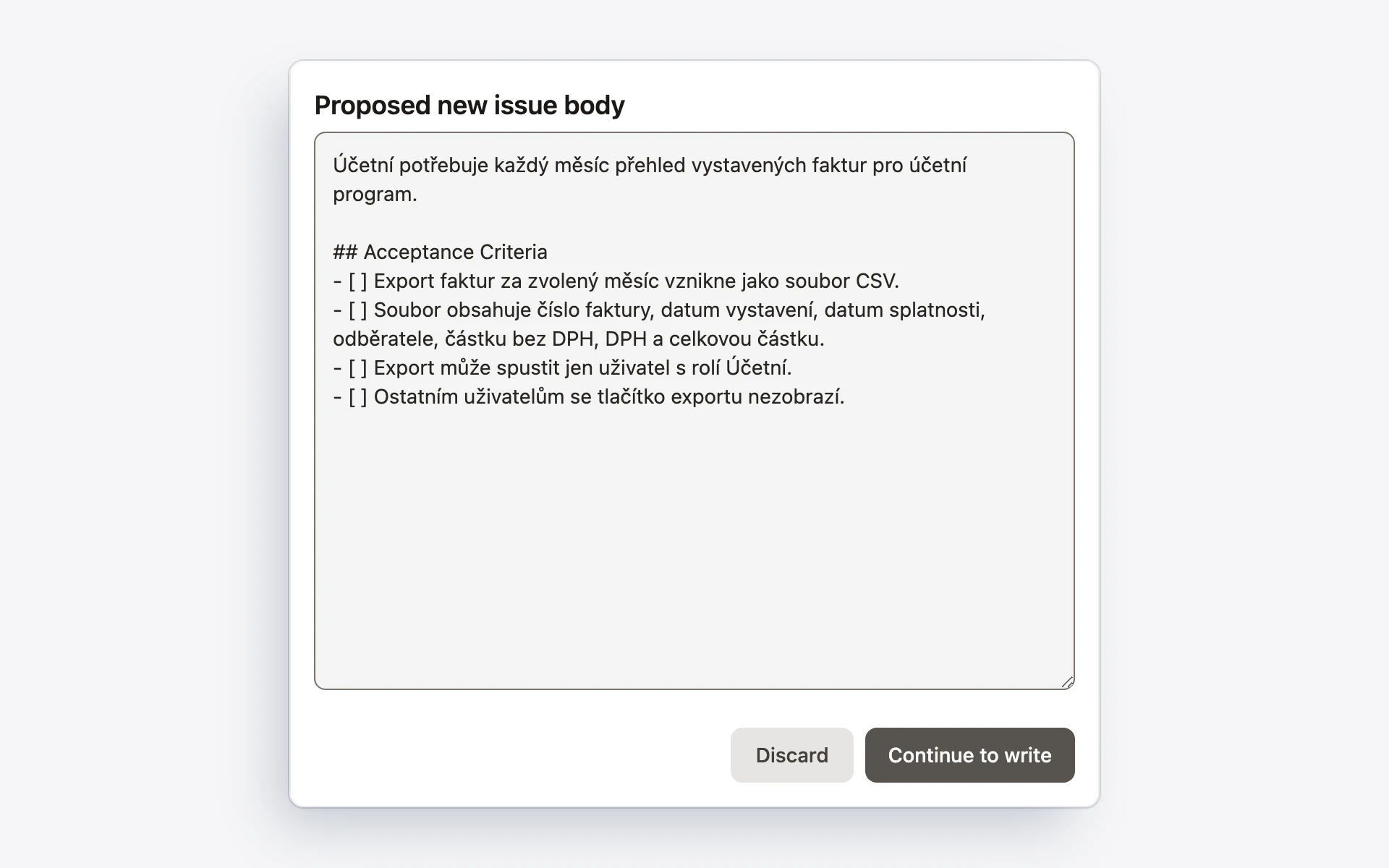
    The proposed new wording of a spec in Anvil, with acceptance criteria. The Continue to write button leads to a confirmation of the write, and Discard throws the proposal away.
  5. Ready for Forge.

    After a fresh analysis, a clear spec gets a label, and Forge can start.
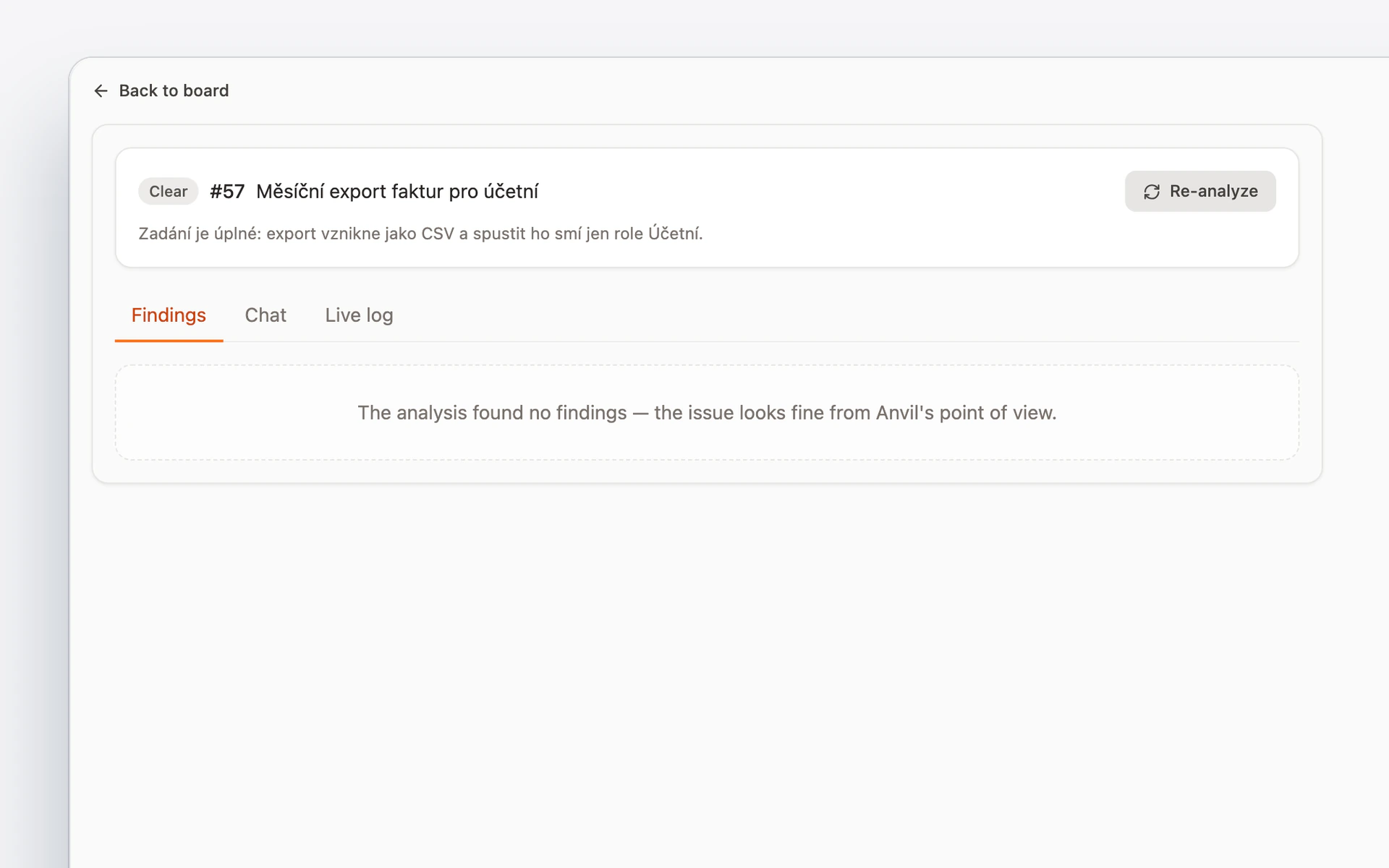
    Spec #57 in Anvil after the change and a fresh analysis: the verdict Clear, the spec is complete, and the analysis found nothing unclear.

What you can count on.

  • Anvil doesn’t write code or start tasks.

  • It changes a spec only with your consent.

  • It records every change to a spec in a comment on the request.

  • A spec from a chat also carries the criteria Temper uses to verify the result.

Start with a clear spec.