Forge

It does the work. You decide.

Forge at work.

A steel bar glows in a light hearth. On a tablet, a task has met every requirement and waits for a person. The line “It does the work. You decide.” appears, and the status switches to Approved. Then tongs draw the bar through a die. The metal draws out into three steps, and seen from the tip, they form the Forge mark.

Forge takes a well-written spec and carries it all the way to finished code. It writes the plan, adds tests, checks its own work, and stops where you want to decide.

Hearth

Every step gets checked.

After every step, Forge checks the result. It addresses review comments and verifies the fixes again.

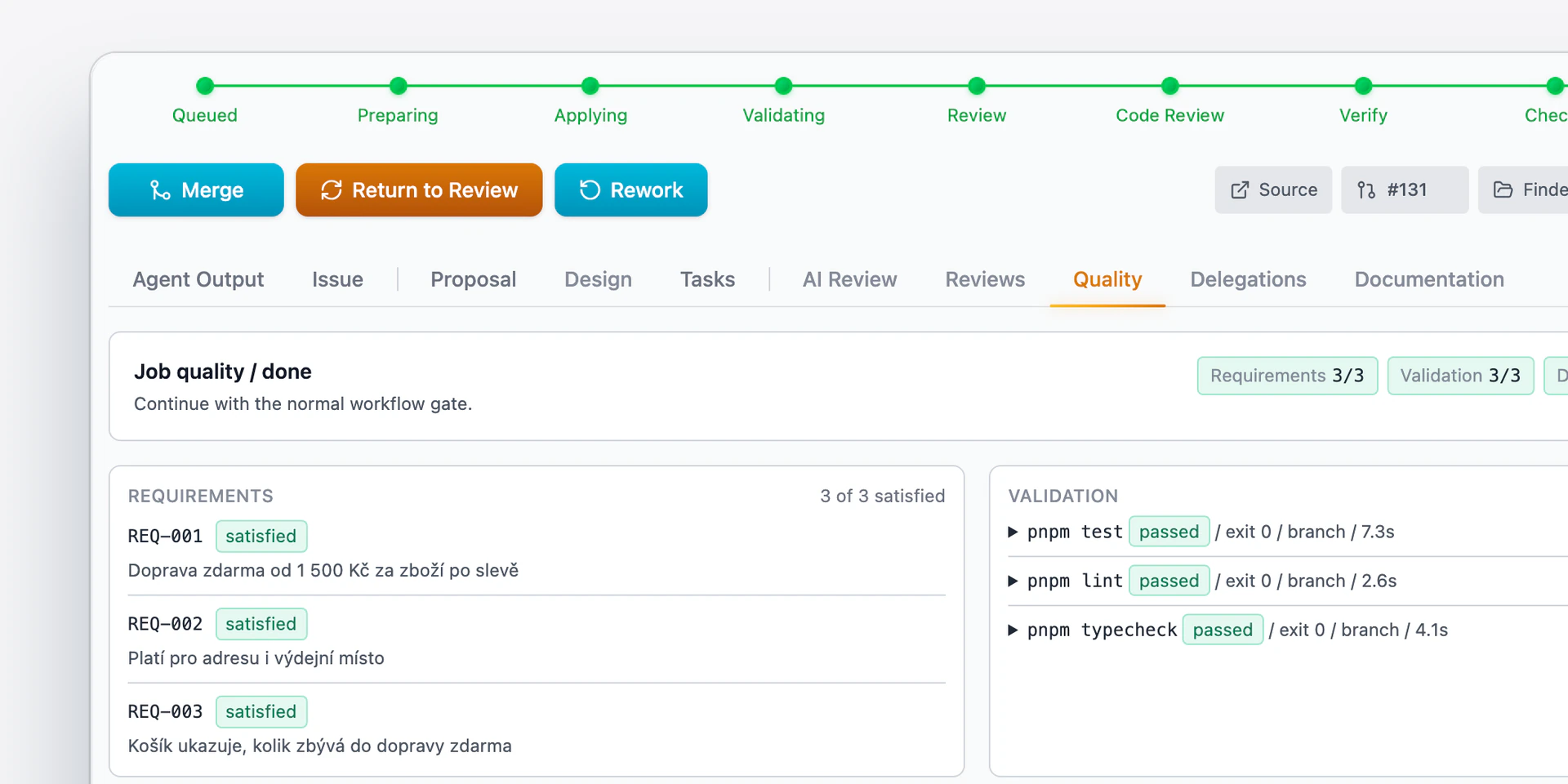
A task in Forge passed its checks and met all four requirements.

How Forge works.

  • Plan before code. Always.

    A task plan in Forge, broken down into steps, which a developer approves before any code is written.
  • Approve on a phone too.

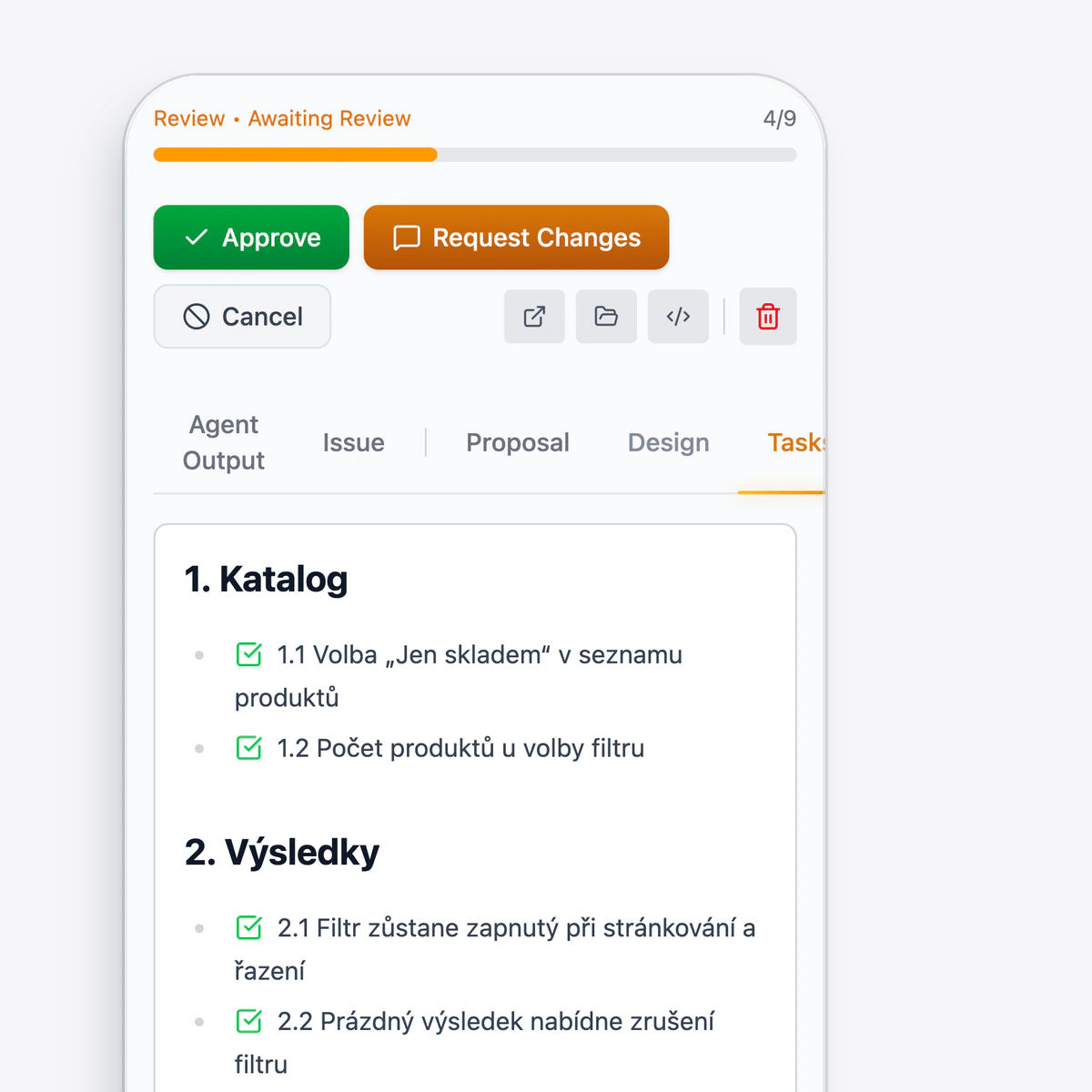
    Forge on a phone: a task waits for approval, and its plan is broken down into steps.
  • A fix or a whole backlog.

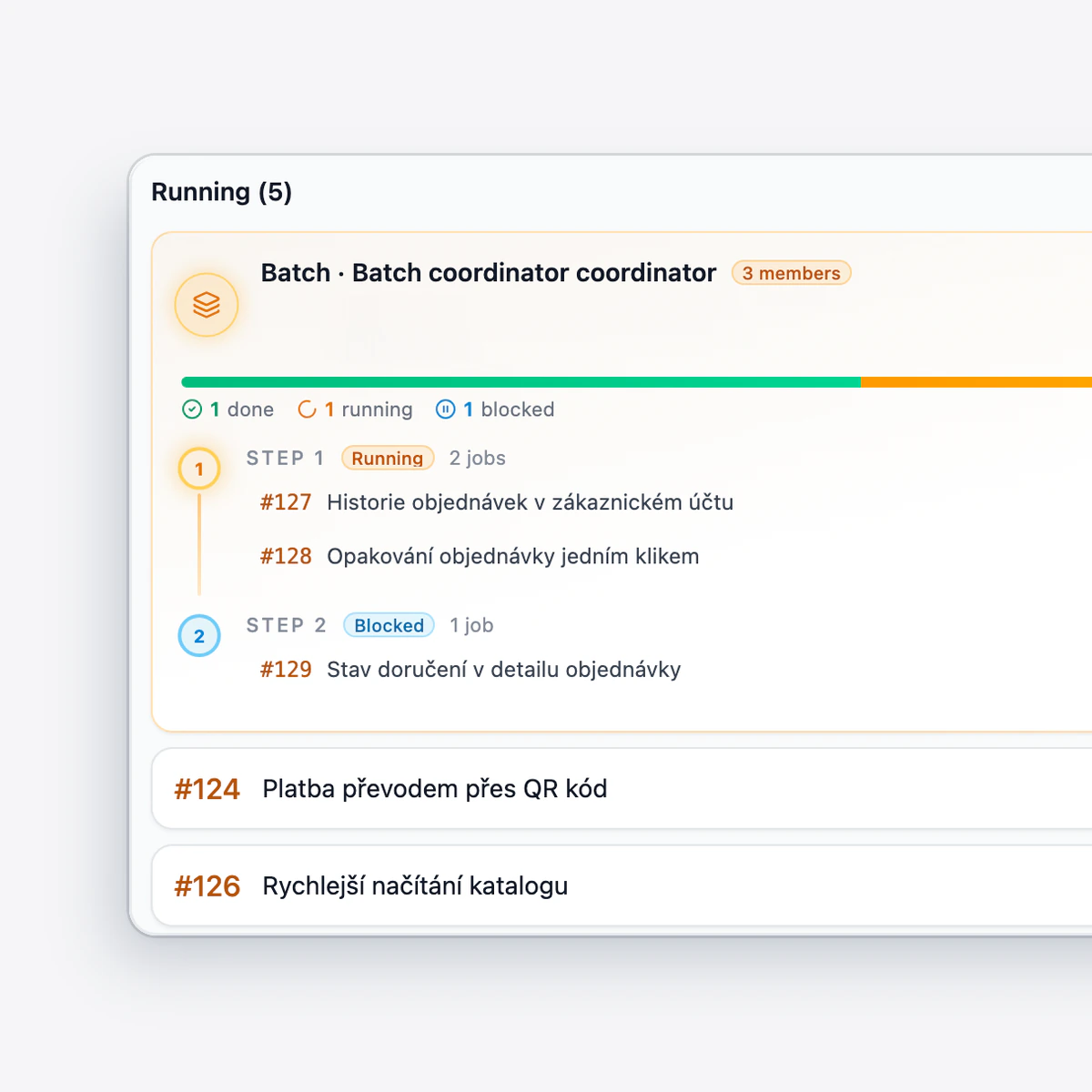
    A batch of three linked tasks in Forge, and other standalone tasks at different stages.
  • A person always merges.

    The task passed its checks, and a developer confirms the merge with the Merge button.

From spec to merge.

  1. The spec.

    A task arrives as a request or a proposed change in the repository, possibly already clarified in Anvil.
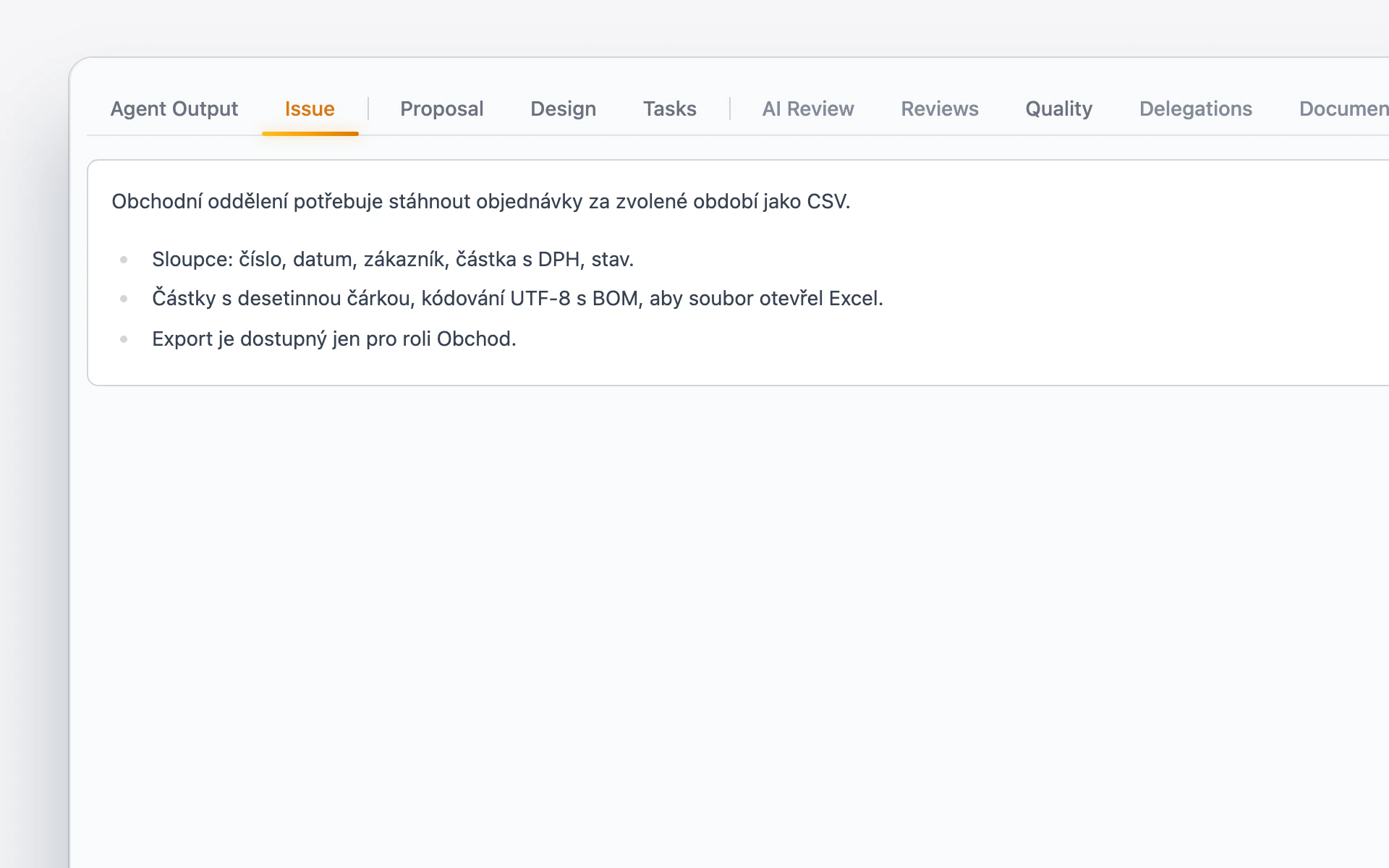
    A task spec in Forge: the sales team wants an export of orders to CSV and describes the columns, the format, and who may use the export.
  2. A plan for approval.

    Forge breaks down the approach and waits for your approval.
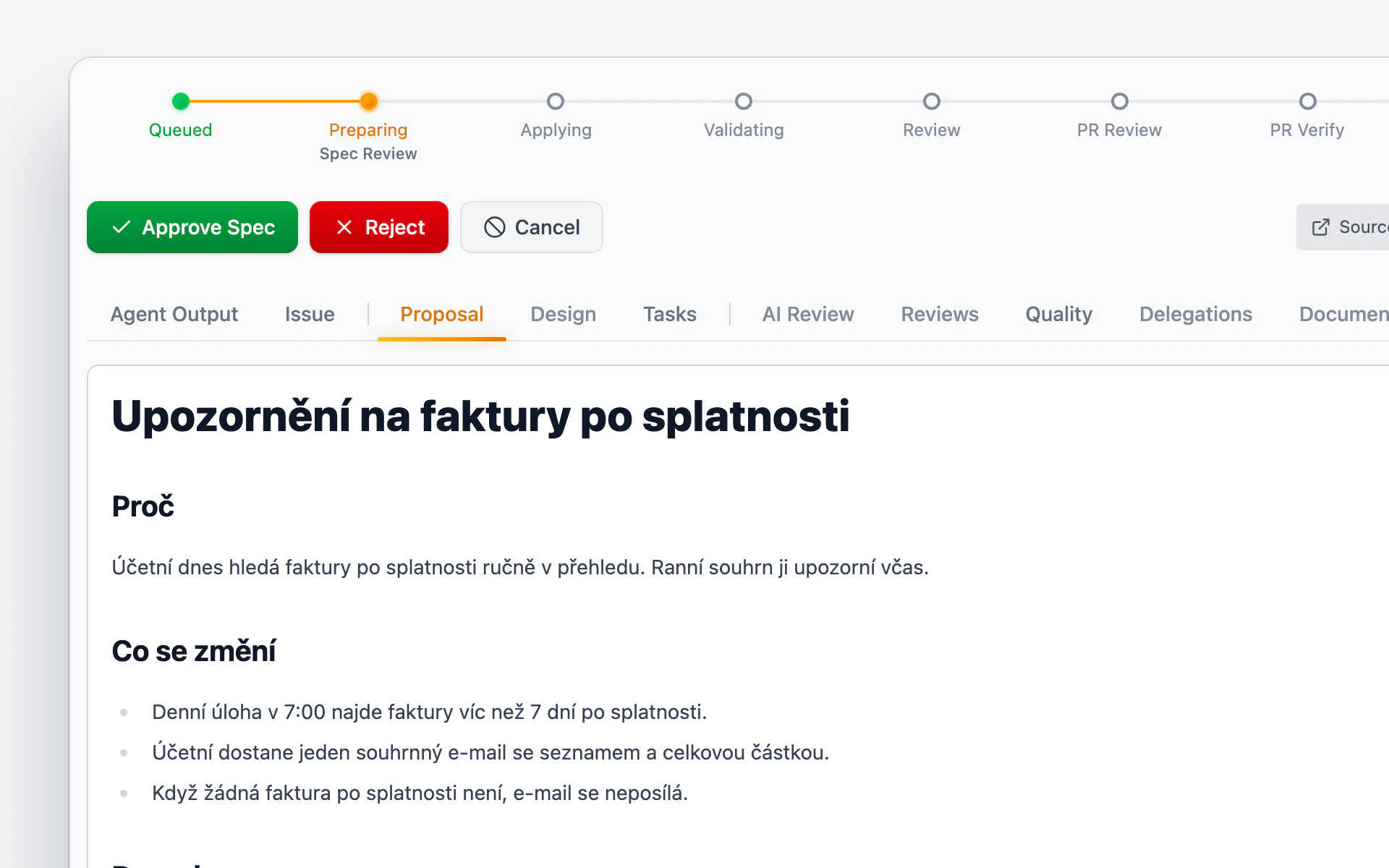
    A task plan in Forge waits for approval: why the change is being made, what will change, and what impact it will have, with the Approve Spec and Reject buttons.
  3. Code and tests.

    It writes the code and the tests from the plan, and checks its own work before saving the changes.
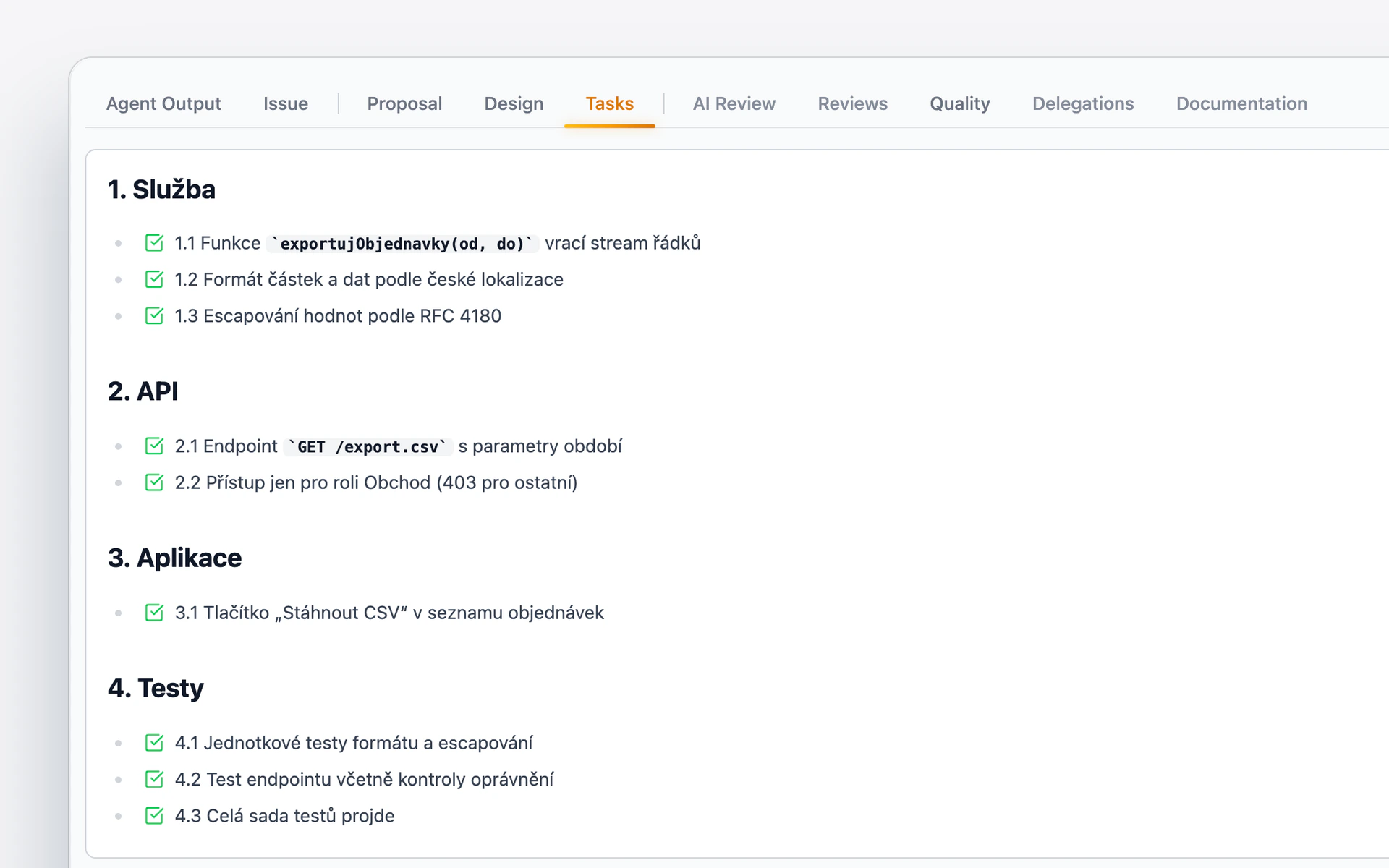
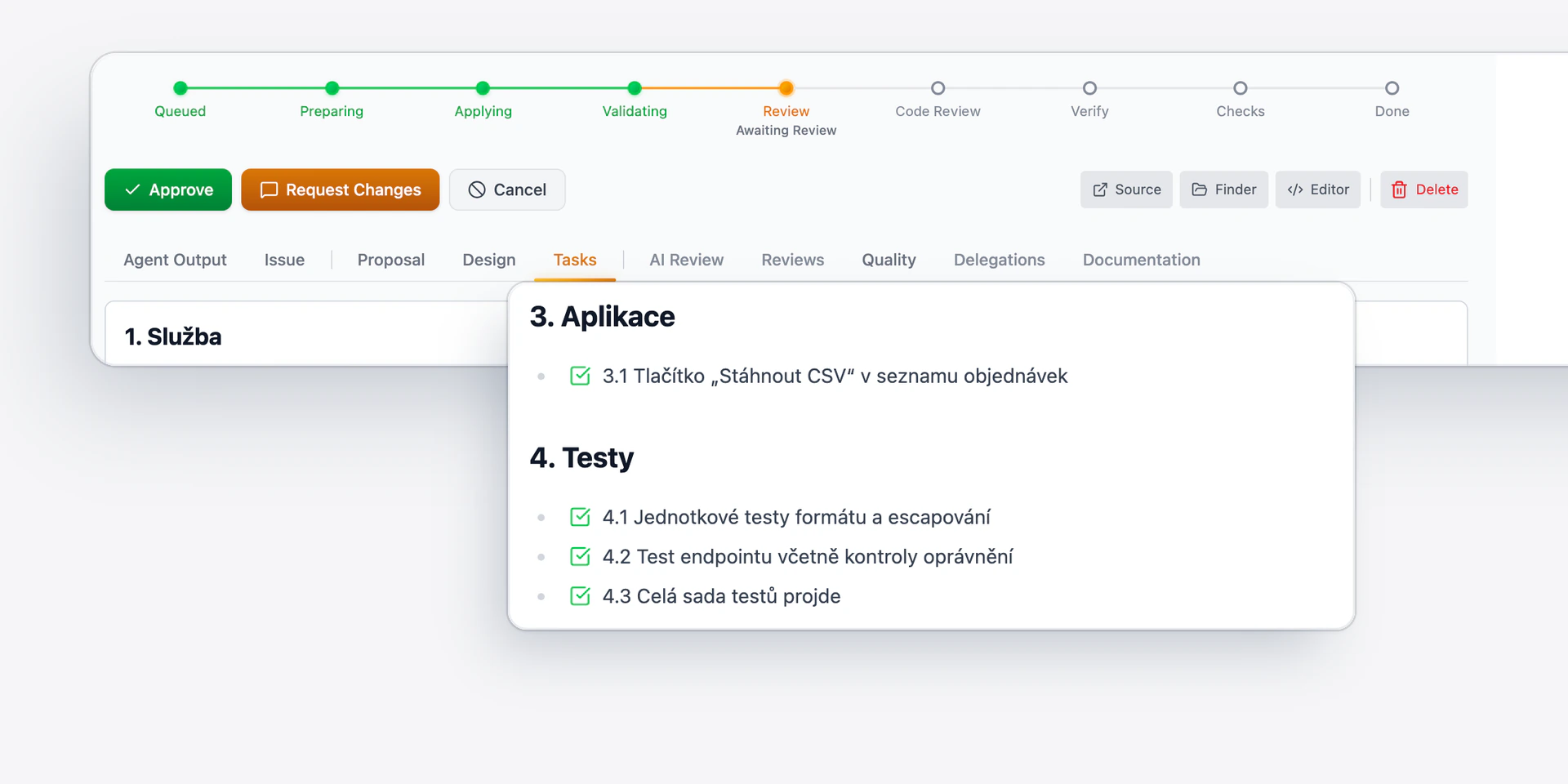
    The tasks from the plan in Forge, checked off one by one: the service, the interface, the app, and finally the tests.
  4. Code review.

    It addresses the review comments and verifies the fixes again.
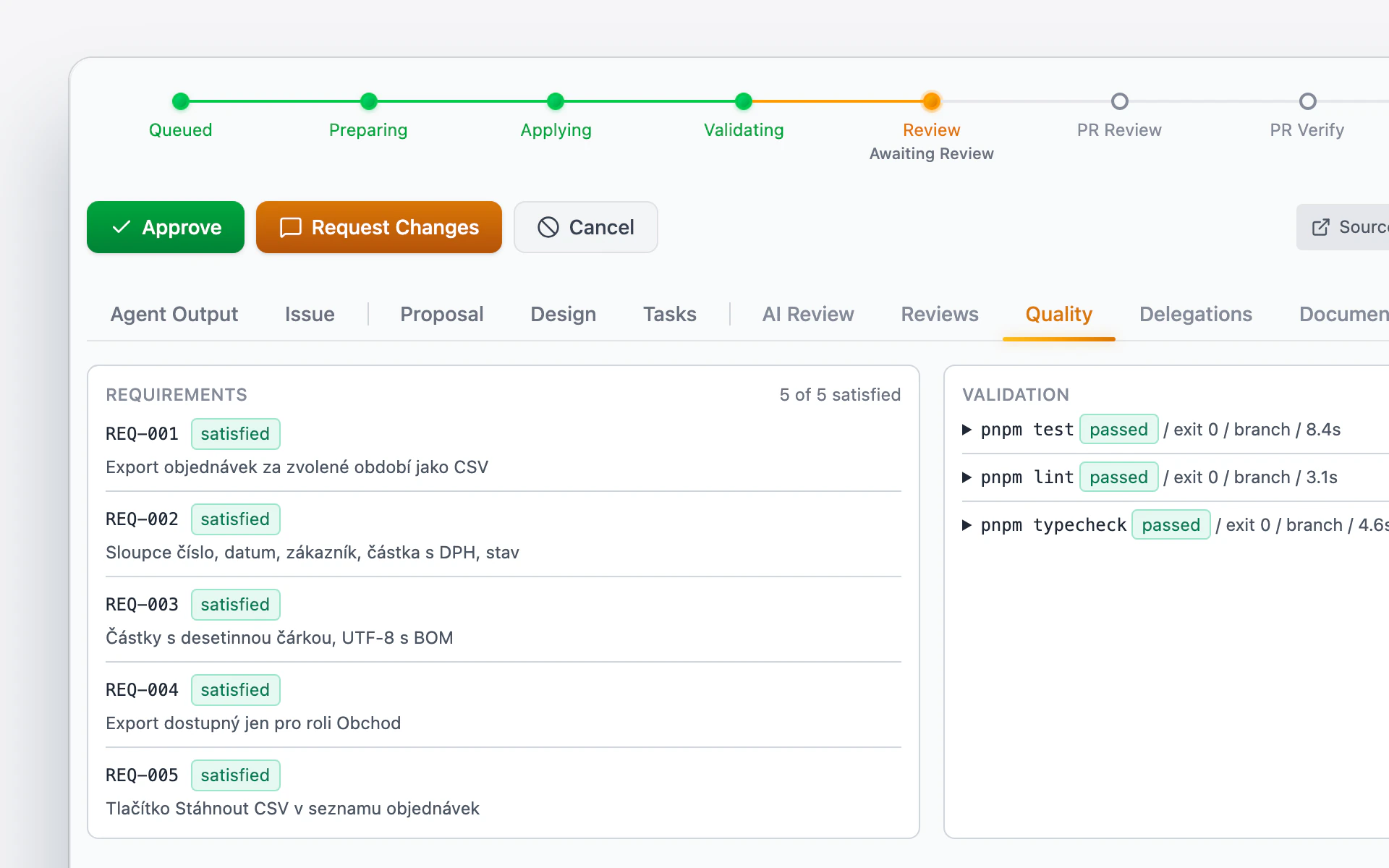
    A change in Forge waits for code review: the requirements are met, tests, lint, and type checks passed, and the change can be approved or sent back with comments.
  5. Browser verification.

    Temper clicks through the finished change.
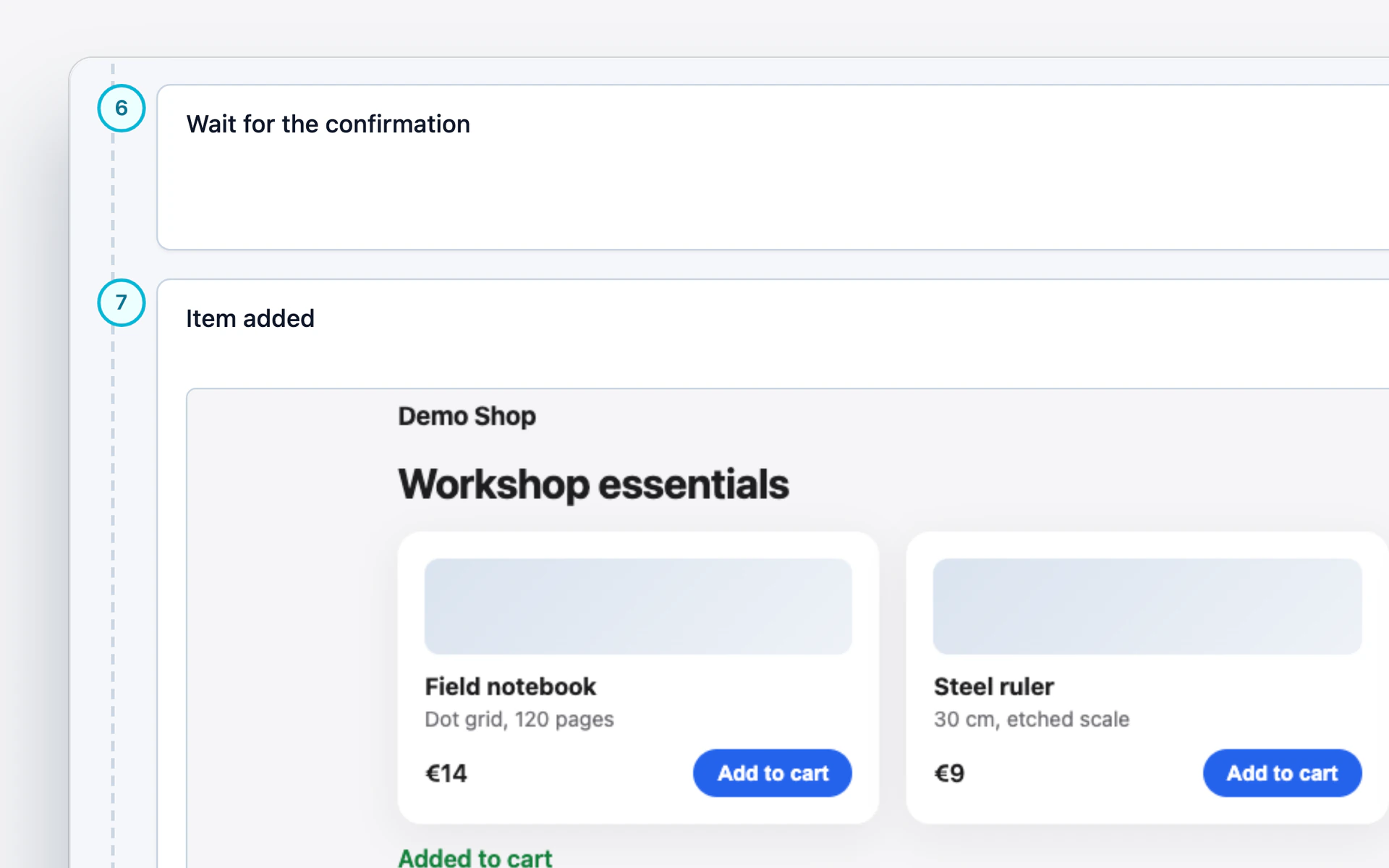
    Temper clicks through the finished change in the browser: the test steps passed, and the step that adds an item to the cart has a screenshot.
  6. Merge.

    Only a person merges the changes, with the “Merge” button.
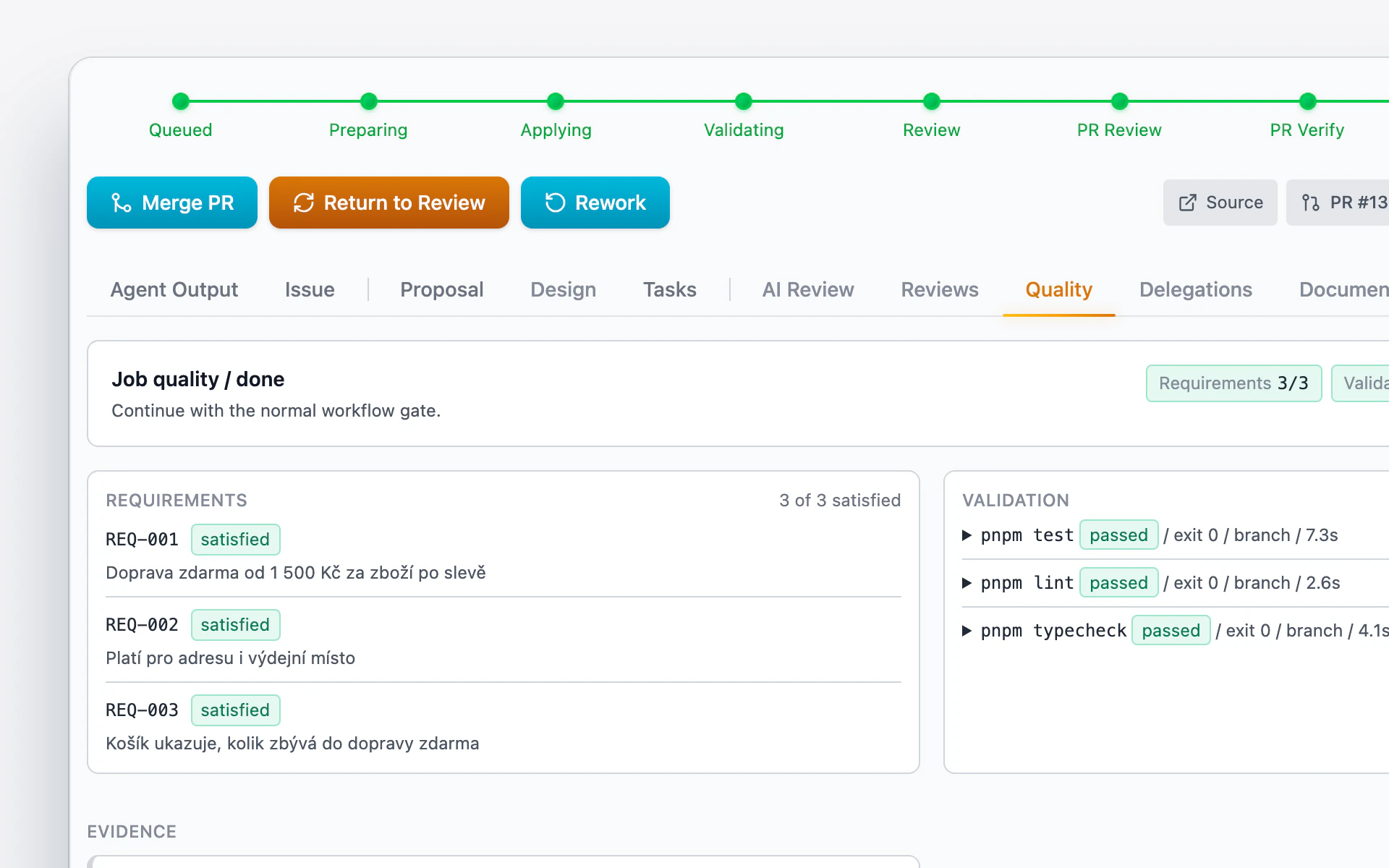
    A task in Forge passed every step and waits for the merge: a person presses the Merge PR button.

What you can count on.

  • Nothing is merged without approval.

  • Linked tasks run as a batch or a chain.

  • Documentation is updated along with the code.

  • Every step has its own record.

At Cognera

A tool we use ourselves.

Forge was made in our workshop, and we use it for our own work. Agents write the code, and senior engineers decide on the architecture.

Show us your backlog.